Watcher Documentation

Model Overview
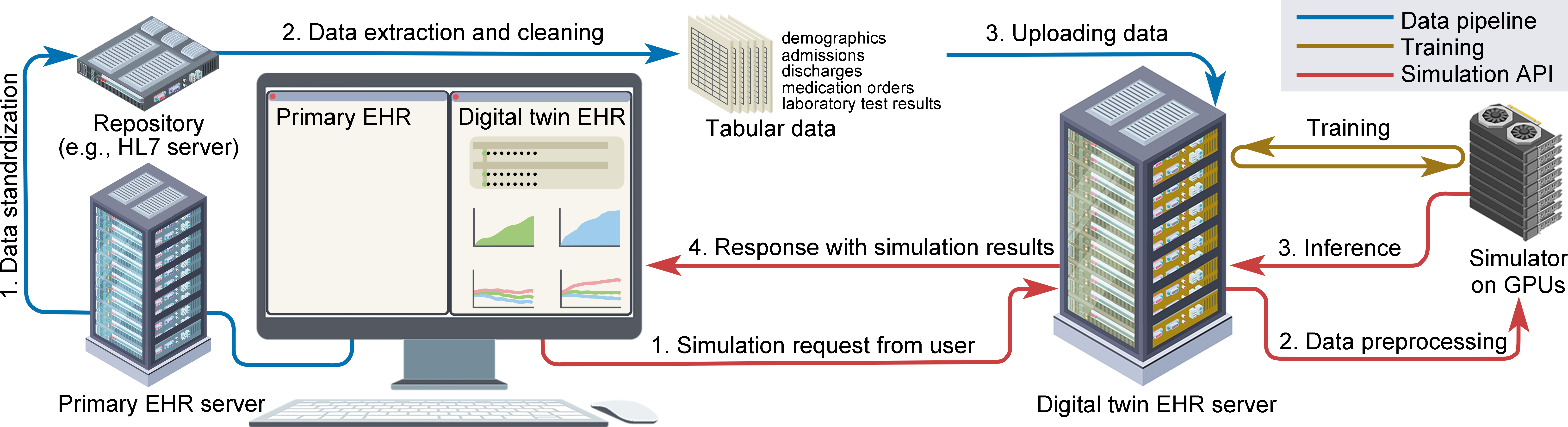
Digital-Twin EHR System
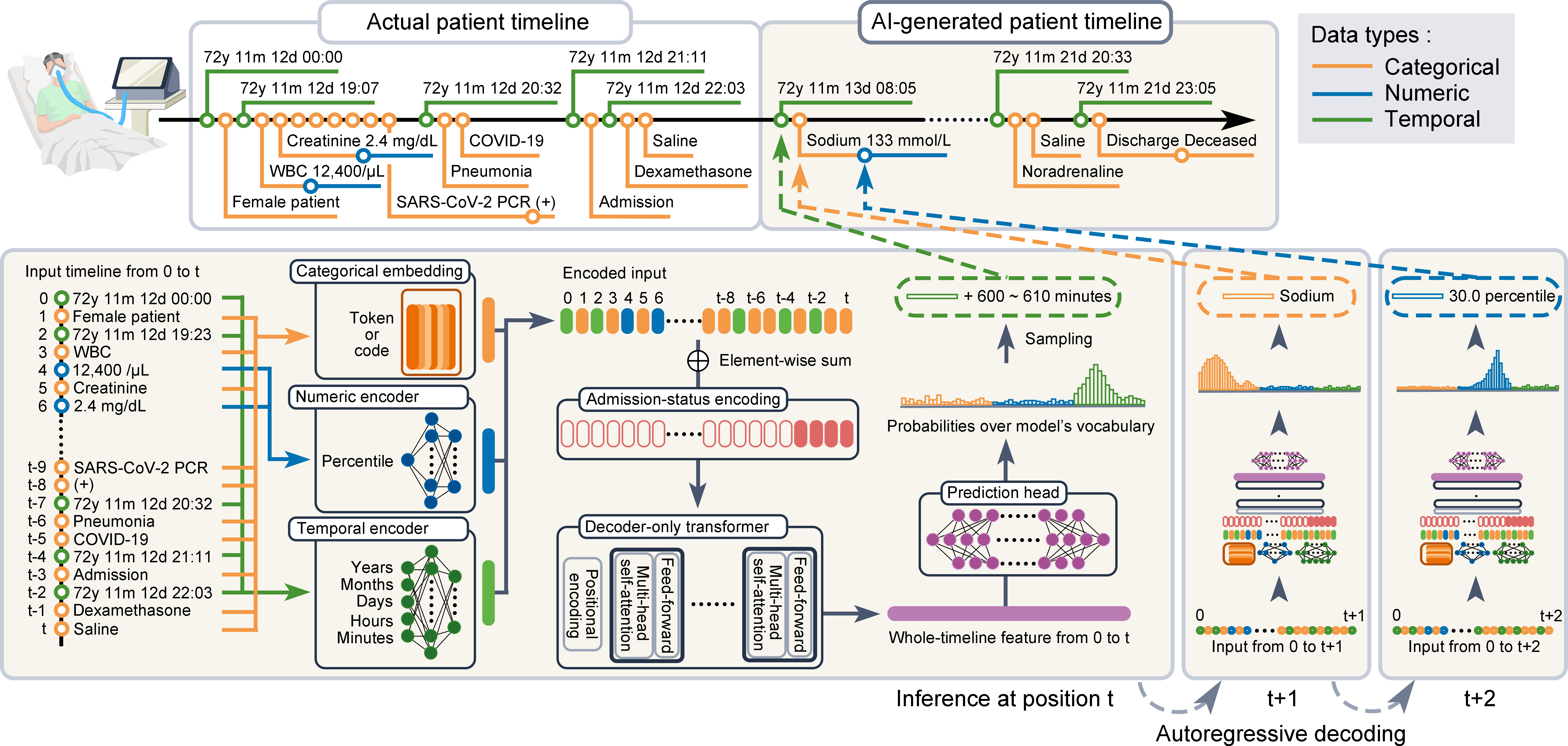
AI model [GitHub]: A generative model that simulates patient timelines. (👈 This package you are currently reading.)
Digital-twin EHR [GitHub]: A web-based, AI-powered EHR that interacts with the model and visualizes simulation results.
Data pipeline: A data pipeline that supplies real-world clinical data to the data server.
To try the full digital-twin system, please follow these steps:
- Step 1: Prepare your clinical data
Required clinical data are defined in Clinical Records
You can use your own clinical data or publicly available datasets.
- Step 2: Upload clinical data to database
Watcher package provides a docker container for PostgreSQL database.
You can upload your clinical data to the database using the package.
- Step 3: Train the AI model
Train (pretrain & fine-tune) the AI model using the Watcher package following the tutorial.
- Step 4: Launch the simulation API server
The Watcher package provides a simulation API server that runs the AI model (gunicorn + Flask).
This will be the API server that the digital-twin EHR system will communicate with.
Launch the server following the tutorial.
- Step 5: Launch the digital-twin EHR system
TwinEHR is a web application that provides a user interface for the simulation API.
Clone the repository and set proper environment variables to connect to the simulation API server.
Run the web application server
Note
For Japanese users, our data pipeline is available to conveniently collect and clean clinical data, but its use is not mandatory.
Users outside Japan can also use the system with your own clinical data or publicly available datasets.
Documentation